
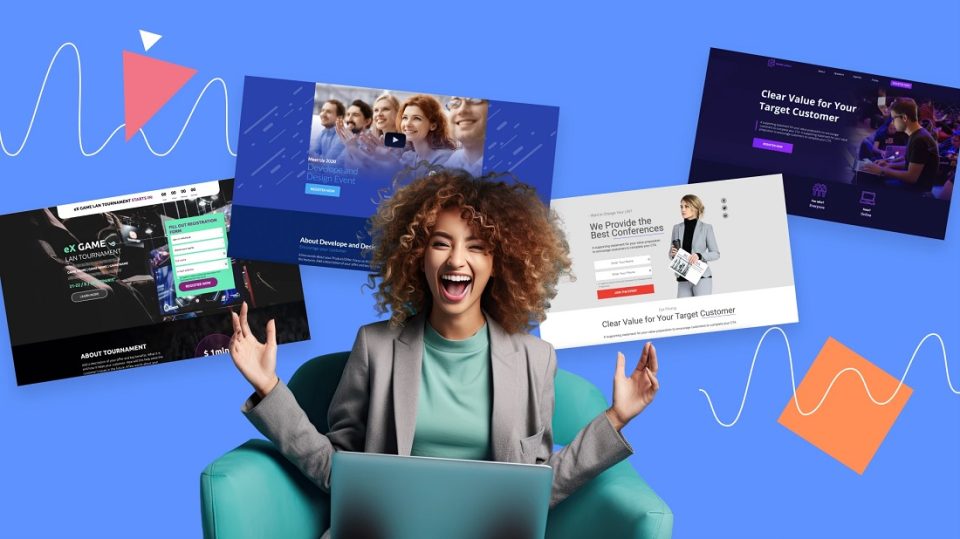
An event landing page gives your audience one place to find everything about your event. Instead of looking through different social media posts or emails, they can check the date, time, location, event details and registration information from one page.
There are many tools that can help you create these pages without having to build an entire website. Some are made specifically for events while others offer more advanced website or landing page tools.
What to look for in an event landing page tool?
Before picking a tool, look at what you actually need for your event. Some useful features are:
- Easy-to-use editor
- Registration or RSVP options
- Custom branding options
- Email and social media promotion
- Mobile-friendly pages
- Event analytics
- Ticketing options
- Integrations
If you are organising a simple community event, you might not need an advanced website builder. Similarly, a large conference may need more registration and tracking features.
5 best tools for designing event landing pages
Here are five tools that offer different options for creating and promoting event landing pages:
1. Leadpages
Overview
Leadpages is focused on landing pages that are designed to generate leads and conversions. For events, you can use it to build a page around registrations, webinar sign-ups, workshops or other events where getting people to take action is the main goal.
It has a drag-and-drop landing page builder and more than 250 templates. You can also use pop-ups and alert bars to highlight registration information or important announcements.
Leadpages connects with more than 90 other tools, which can be useful if you already use separate email marketing, CRM or analytics software. Its AI tools can also help with headlines, images and copy.
Pricing plan
14-day free trial available
Standard: $37/month when billed annually
Pro: $74/month when billed annually
Key event marketing features
- Drag-and-drop landing page builder
- Registration and lead collection
- 250+ templates
- Pop-ups and alert bars
- AI headline and image tools
- 90+ integrations
- A/B testing on Pro
- Custom domains
Who should use it?
Leadpages is useful for marketers, coaches and businesses that are mainly interested in getting registrations or leads. It makes more sense if conversion is your main goal and you already have other tools for managing the actual event.
2. Webflow
Overview
Webflow gives you much more control over the design of your landing page. It is a website builder rather than a tool made only for events, so you can create a highly customised page instead of following a fixed event format.
You can add event information, forms, speaker sections, schedules, images and other content. Webflow also offers AI tools and gives you control over SEO settings and page design.
If you only want to quickly put up a page for a small event, you might not need all of its features. But it can be useful for larger organisations that want the event page to look closely connected to their existing website.
Pricing plan
Starter: Free
Basic Site Plan: $15/month when billed annually
Premium Site Plan: $25/month when billed annually
Key event marketing features
- Custom landing page design
- Forms
- Custom domains on paid plans
- SEO controls
- Webflow AI
- CMS for larger event websites
- Responsive page design
- Custom code options on higher plans
Who should use it?
Webflow is better suited to marketers, designers and businesses that want greater design control. It can also work well if you need to build a larger event website instead of one simple registration page.
2. PosterMyWall
Overview
PosterMyWall is a really good option if you want to create the event page and also market the event from the same place. The PosterMyWall Event Marketing tool lets you create branded event pages with details like the date, time, location and registration information.
You can add custom images or videos and use Brand Kits to keep the page connected to your event branding. You can also add an AI-written description and collect registrations directly from the page.
The biggest advantage is that you can create an event landing page that connects with other event marketing tools. You can promote it through email and social media, send automated reminders, create flyers and embed the event page on your website. This means you don’t have to keep moving between different platforms to promote the same event.
Pricing plan
Free Plan: Yes
Premium Plan: $13/month or $109/year
Premium Plus: $30/month or $319/year
Key event marketing features
- Event landing pages
- Registration and RSVP collection
- Brand Kits
- AI Writer
- Email campaigns
- Automated reminders
- Social media promotion
- Event calendars
- Registration and page-view tracking
- Ticketing on paid plans
Who should use it?
PosterMyWall is a good choice for small businesses, community organisations, event planners and marketers. It is especially useful if you want a simple way to create an event page and then promote the event through different channels.
4. Splash
Overview
Splash is built specifically for event marketing, so its features cover much more than creating a landing page. You can create branded event pages, registration forms, emails, social share cards and confirmation pages. Event pages can also change according to the stage of the event, moving from registration to live event information and then post-event content.
Splash also has more advanced tools for guest lists, ticketing and check-ins. You can send invitations and reminders and track event pages and email performance.
Pricing plan
Pro: Custom pricing
Enterprise: Custom pricing
Splash does not currently list fixed dollar prices for these plans on its official pricing page.
Key event marketing features
- Branded event pages
- Registration forms
- Ticketing
- Guest list management
- Email invitations and reminders
- Social share cards
- Mobile event check-in
- Event analytics
- CRM and marketing integrations
- Event calendars
Who should use it?
Splash is best suited to larger marketing teams, companies and organisations that run events regularly. It is particularly useful when registration, guest management, branding and event reporting all need to work together.
5. Swipe Pages
Overview
Swipe Pages focuses on building fast landing pages with a strong focus on conversions and mobile users.
For events, its AI landing page builder can create a page based on details such as the event type, speakers, date and registration goal. It can also help organise speaker information, social proof and registration-focused copy.
Countdown timers are useful for events with registration deadlines or early-bird offers. Swipe Pages also supports forms, A/B testing, analytics and integrations with other tools. You can connect the page to registration platforms if you manage registrations elsewhere.
Pricing plan
14-day free trial available
Startup: $29/month when billed annually
Marketer: $69/month when billed annually
Agency: $149/month when billed annually
Key event marketing features
- AI landing page builder
- Event landing page creation
- Countdown timers
- Multi-step forms
- Mobile-friendly pages
- A/B testing
- Analytics and conversion tracking
- Integrations
- Custom domains
- Fast page loading
Who should use it?
Swipe Pages is useful for marketers who care about registrations and mobile performance. It can work well for webinars, workshops, launches and other events where the landing page has one clear conversion goal.
Comparison of event landing page tools
Here is a quick comparison of the five tools:
| PosterMyWall | Webflow | Leadpages | Splash | Swipe Pages | |
| Best for | Creating and promoting events from one place | Custom event websites | Registration-focused pages | Large event programs | Fast conversion-focused pages |
| Starting paid price | $13/month | $15/month annually | $37/month annually | Custom pricing | $29/month annually |
| Free option | Yes | Yes | 14-day trial | Not listed | 14-day trial |
| Registration tools | Yes | Forms | Lead collection | Advanced registration |
Forms/ integrations |
| Event promotion | Email, social, flyers and reminders | Requires more setup | Integrations and conversion tools | Email and social promotion | Mainly landing page focused |
Some tips on choosing an event landing page tool
- Consider the event size: Choose a tool that matches the scale of your event, from a small workshop to a large conference.
- Check what else you need: Decide if you only need a landing page or also want emails, registrations, social media and reminders.
- Keep registration simple: Look for easy forms and a clear CTA so people can register quickly.
- Think about promotion: Choose a tool that connects with your email, social media and other marketing channels.
FAQs
Q1. What should an event landing page include?
- Include the event name, date, time, location, description and registration details. You can also add speakers, schedules, photographs, videos and FAQs if they are relevant.
Q2. Do I need a full website for an event?
- Not always. For many events, one landing page is enough to give people the details and collect registrations. Larger conferences or multi-day events may need a more detailed website.
Q3. Can I create an event landing page without coding?
- Yes. All five tools above offer ways to build landing pages without writing code. Some give you more design control while others focus on making the process quicker for beginners.
Ready to get your event page live?
The right event landing page tool depends on what happens after you publish the page. You might only need to collect registrations, or you may also want to send emails, promote on social media and track your audience. Whatever tool you choose, keep the page easy to understand and make registering for your event as simple as possible.
